Convert PDF to Word online for free. Turn your PDFs into editable Word documents in seconds while preserving text, tables, images, and layout as closely as possible. Open the DOCX file in Microsoft Word or Google Docs.
Convert PDFs to Word online and get DOCX files with fonts, headings, tables, columns, and images in the right places, so you can start editing instead of rebuilding.
Drop in a PDF and get a .docx file back in seconds. The converter identifies the headings, paragraphs, columns, tables, images, and other page elements in your document and rebuilds them in an editable DOCX file.
After you convert your PDF into a Word doc, you can edit any text or element you want. Update the numbers in a report, change a clause in a contract, or reuse a template someone sent you as a PDF. You can also track changes and comments in the editable Word file, so you can send it back for review.
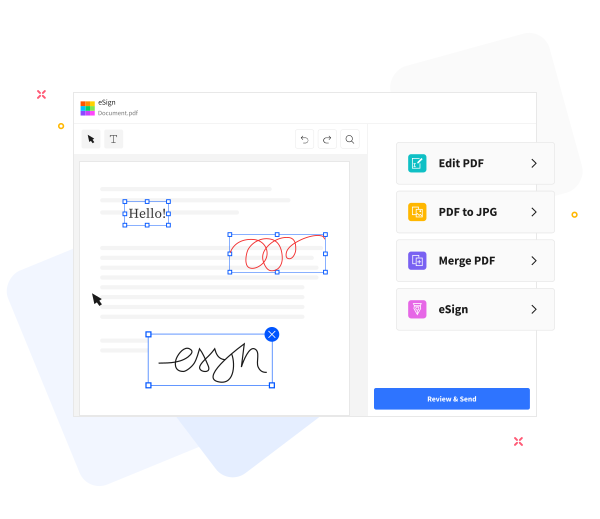
The converter runs in your browser on Mac, Windows, Linux, iOS, and Android, with nothing to install. Your files are protected with TLS encryption, and Smallpdf is GDPR compliant and ISO/IEC 27001 certified. Documents are deleted an hour after processing unless you choose to store them.
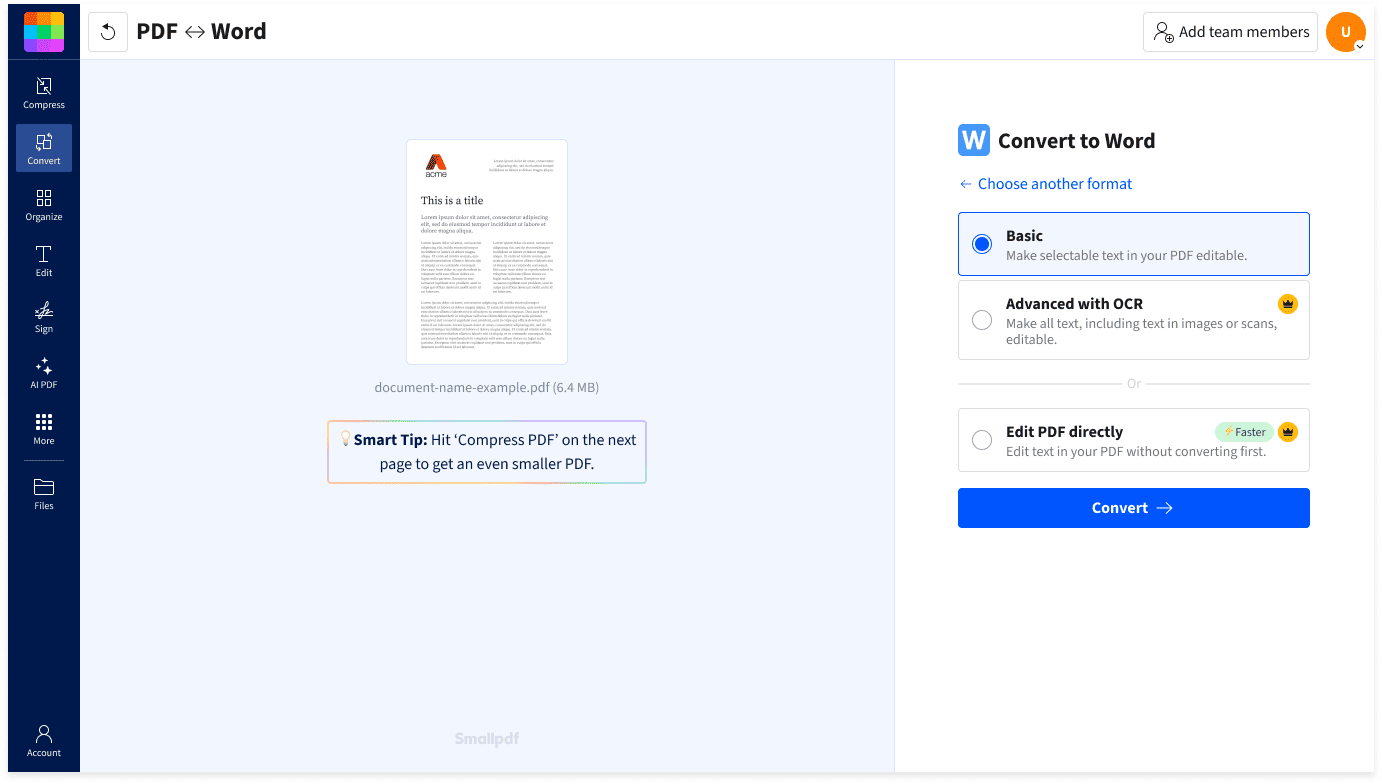

No software to install, and no account or email address needed to start. Drop your file in and convert PDF to DOCX online in seconds.

You get a Word document (.docx), not a locked export. It opens wherever you work: Microsoft Word, Google Docs, Apple Pages, and LibreOffice.

Convert long reports and large PDFs to Word without splitting them up. If a file is too big to upload, run it through Compress PDF first.

Our PDF to Word tool runs in your browser, so it works on Mac, Windows, Linux, iOS, and Android. Convert a PDF on your phone or your computer.

Smallpdf is GDPR compliant and ISO/IEC 27001 certified. Your files are TLS-encrypted and deleted an hour after processing.

If you can't select the text in your PDF, it's a scan. Turn on OCR (a Pro feature) to recognize that text and get an editable, searchable Word file.
Yes, Smallpdf's PDF to Word converter is safe to use. Smallpdf is ISO/IEC 27001 certified and GDPR compliant.
Your files are protected with TLS encryption during upload and download, and automatically deleted from Smallpdf's servers after one hour of processing (unless you choose to save them to your Smallpdf account).
No, converting to Word won't affect fonts or formatting in most cases. The converter keeps fonts, headings, paragraph spacing, multi-column text, tables, images, headers, and footers close to the original, so the Word document you download looks like the PDF you started with.
Very complex or heavily designed layouts, like magazine-style pages and tight infographics, may need a few minutes of clean-up in Word.
A PDF stores text, fonts, and images at fixed positions on the page. The converter reads that structure, identifies the headings, paragraphs, columns, tables, and images, then rebuilds each one as an editable element in a DOCX file.
Scanned PDFs hold a picture of the page instead of text, so they need OCR to recognize the words before the conversion can run.
You get a DOCX file. DOCX is the standard Word document format, which opens in Microsoft Word, Google Docs, Apple Pages, and LibreOffice.
DOCX replaced the older .doc format, so you only need .doc for versions of Word released before 2007.
Convert a scanned PDF to Word by uploading the scan to Smallpdf's converter and choosing the conversion option with OCR (a Pro feature) before you convert.
A scanned PDF is an image of a page, which is why you can't select the text in it. OCR is technology that recognizes the text, so you get a Word file you can edit and search instead of a picture pasted into a page.
Yes, Smallpdf's PDF to Word Converter is free to use. You can convert a limited number of PDFs per day for free without creating an account or providing an email address.
Upgrade to a Pro plan for unlimited PDF conversion, OCR access, and 50+ other PDF tools.
Yes, you can convert PDFs to Word on the go. The converter runs in any browser, so you can convert PDF to Word on Mac, Windows, Linux, iOS, or Android with nothing to install.
You can also use our free Smallpdf mobile app for iOS and Android.
Yes, your whole team can use the PDF to Word converter with our Teams plan. The Teams plan provides unlimited PDF conversion and other PDF tools for your whole team.
Enjoy 50+ PDF tools (edit, merge, convert, including AI) and flexible payment options for teams of any size.
You should look for a PDF to Word converter that preserves your text, tables, images, and formatting as accurately as possible, supports scanned PDFs with OCR where needed, produces a standard DOCX file, and handles your files securely.
Smallpdf's PDF to Word converter includes all of these features and works directly in your browser.

Convert scanned PDFs to editable Word files online with OCR. Upload from your device, Drive, Dropbox, or OneDrive and download a DOCX in seconds.
Read article
Convert your PDF to text online for free in just a few clicks. Extract and edit content quickly with no sign-up or software download needed.
Read article
Quickly convert PDF to Word documents on your MacBook for free without messing up formatting. No registration and no installation needed.
Read articleThe easiest ways to insert a PDF into a Word document, either as an image or in an editable format, online or offline.
Read article
You can use our PDF2WORD tool to save PDF documents into editable Word files seamlessly. Our online tool can process both scans and files created digitally.
Read article
The Smallpdf online OCR converter can help you convert and process various file types to an editable document.
Read article