Smallpdf's PDF splitter lets you extract, split, and save pages as separate documents in seconds. Split one PDF into multiple files or save every page as its own PDF, without changing the quality or formatting of your pages.
Choose the pages you need, save them as new PDFs, and make sharing and uploading docs simple. Split PDFs in seconds with perfect formatting.
Sometimes you only need a contract's signature page or a few pages from a long report. With Smallpdf's free PDF cutter, you can pick only those pages and save them as one or more new PDFs. Share exactly what's needed, not the whole document.
Divide a whole PDF into separate files by page range, like an instruction manual split by chapter or a batch of invoices split into separate files. You can also split every few pages or save each page as its own PDF.
Splitting your PDF won't affect fonts, images, or document styling. Each new file is made from the pages you choose, and your original PDF stays unchanged. Scanned PDFs split just as easily in most cases, because the tool separates whole pages rather than text.
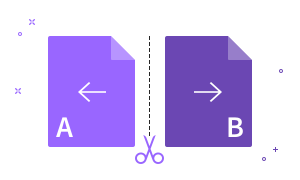

Use the PDF splitter on Mac, Windows, Linux, iOS, or Android—no software downloads required. Just drag and drop, split, and rearrange pages in seconds.

Use the PDF cutter to extract specific pages or divide a PDF wherever you want. Split PDF pages into as many new files as you need.

Split PDF files for free without creating an account or providing an email address. Upload your file and download your new PDFs right away.

Split long reports and large scans into smaller files that fit email and upload limits. If a file is too big to upload, compress it first.

Upload several PDFs at once, rearrange or delete pages, then split or combine them into the documents you need, all in one place.

Every file is protected with TLS encryption and deleted automatically after one hour. Smallpdf is ISO/IEC 27001 certified and fully GDPR compliant.
Yes, Smallpdf's PDF splitter is free to use. You can split or extract pages from a limited number of PDFs per day for free without creating an account or providing an email address.
Upgrade to a Pro plan for unlimited PDF splitting, access to advanced features, and 50+ other PDF tools.
Yes, it's safe to split PDFs online with Smallpdf. Smallpdf is ISO/IEC 27001 certified and GDPR compliant.
Your files are protected with TLS encryption and automatically deleted from Smallpdf's servers one hour after processing, unless you choose to save them to your Smallpdf account.
You can split a PDF into multiple files by uploading it to Smallpdf's PDF splitter, marking where each new file should start, and clicking "Split." Each section you mark becomes its own PDF.
The new files are downloaded together as a ZIP file. If your browser or network blocks the ZIP download, you can download each file individually instead.
Yes, you can save every page of a PDF as a separate file. Smallpdf's PDF splitter can split after every page, so a 20-page PDF becomes 20 single-page PDFs.
To keep only some pages, select those pages instead. You can save them together as one new PDF or as separate single-page files.
No, splitting a PDF won't affect its quality or formatting. The pages in your new files keep the same fonts, images, and document styling as the original.
Splitting also doesn't change your original file. Smallpdf creates new PDFs from the pages you choose and leaves the original as it was.
Yes, you can split a Word, Excel, or PowerPoint file with Smallpdf. Upload it to the PDF splitter, and it's converted to PDF so you can split the pages like any other PDF. JPG and PNG images work too.
Your split files are PDFs. If you need them back in the original format, convert them with PDF to Word, PDF to Excel, or PDF to PPT.
You can split a PDF that's too big to upload by running it through Smallpdf's Compress PDF tool first to reduce its size.
Then upload the compressed file to the PDF splitter and split it. If one of your new files is still too big to email, compress that file too.
Yes, you can split and merge PDFs at the same time. Add several PDFs to the splitter, put their pages in the order you want, and split the result into new documents.
To merge split files again later, use Smallpdf's Merge PDF tool, which also lets you rearrange, rotate, and delete pages before you download.
Yes, your whole team can use the PDF splitter with our Teams plan. The Teams plan provides unlimited PDF splitting, access to advanced features, and other PDF tools for your whole team.
Enjoy 50+ PDF tools (edit, merge, convert, including AI) and flexible payment options for teams of any size.

Use Smallpdf to extract individual PDF pages into a new file or delete pages from an existing PDF. Free to use online, no registration required.
Read articleRemove one single page from a PDF to save as a brand new, single-page file. Simple, intuitive, and free-to-use.
Read article
Split PDF, Word, Excel, JPG, or PPT files into smaller parts or remove pages in seconds with Smallpdf—simple, secure, and works on any browser.
Read article